maxresdefault vs hqdefault
Two file names, two very different images. This guide compares maxresdefault and hqdefault, so you know which one you are getting before you save it.
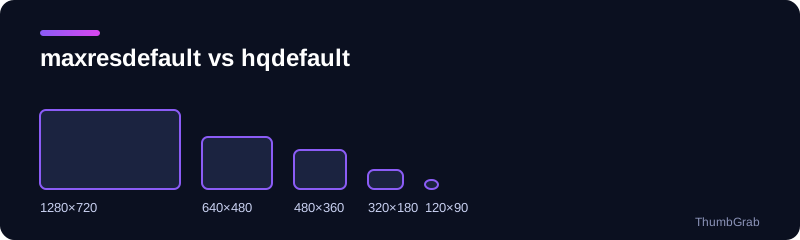
The short comparison
| File | Resolution | Shape | Exists for |
|---|---|---|---|
| maxresdefault.jpg | 1280×720 | 16:9, no bars | HD uploads only |
| sddefault.jpg | 640×480 | 4:3, black bars | Almost all videos |
| hqdefault.jpg | 480×360 | 4:3, black bars | Every video |
Which one should you download?
Take maxresdefault whenever it exists, because it is the sharpest and has no black bars. If it does not exist, sddefault is the next best, then hqdefault. Both of those include black bars at the top and bottom, which you can crop if you need a clean 16:9 image.
Why hqdefault always works
hqdefault is generated for every video, which is why developers use it as a fallback. It is also what the file called 0.jpg points to. If you want to see which files really exist for a link, paste it into the free online thumbnail downloader: each size is listed with its true resolution.
For the quick download method, see how to download a YouTube thumbnail in HD, and for the phone steps read download a YouTube thumbnail on phone and PC.
For developers
Request maxresdefault first and fall back to hqdefault, which exists for every video. Checking the response status is enough to decide which one to show.
How to check before you save
Do not trust the file name alone. A tool that reads the real width and height of each file shows you at once whether the image you are about to save is the sharp 1280×720 version or a smaller one with black bars. That is the difference between a clean cover and a blurry one.
A quick rule of thumb
If the image you saved is exactly 1280 pixels wide and 720 tall, it is maxresdefault. If it is 480 wide and 360 tall, it is hqdefault and it will have bars at the top and bottom. If you only have the file name to go on, remember that the name describes what YouTube intended to serve, not always what exists for that video. The most reliable habit is to look at the real resolution before you build a page, a slide or a design around the image, and to fall back to the next size when the largest one is missing.
Common mistakes with these files
- Assuming every video has a maxresdefault file and getting an error when it does not.
- Saving hqdefault and not noticing the black bars until the image is on a page.
- Enlarging a small file and expecting it to look like the 1280×720 original.
Frequently asked questions
What is the difference between maxresdefault and hqdefault?
maxresdefault is 1280×720 and 16:9 but exists only for some videos. hqdefault is 480×360, 4:3 with black bars, and exists for every video.
Which YouTube thumbnail file is the best quality?
maxresdefault, at 1280×720, when it exists.
Why does hqdefault have black bars?
It is stored as a 4:3 image, so YouTube adds bars at the top and bottom of the 16:9 frame.
What is sddefault?
A 640×480 file, also 4:3 with black bars, that exists for almost all videos.
What should I use if maxresdefault is missing?
Use sddefault, then hqdefault, and crop the black bars if you need a clean 16:9 image.
Keep reading
- The tool for this topic: download YouTube thumbnails in HD
- Back to the free online thumbnail downloader